

Factory For Fleet Services Houston - battery operated gps tracker Long Standby GPS Tracker LTS-3YD – Dragon Bridge Detail:
LTS-3YD User Manual

1,Application method
1. Before use, please test equipment model is correct, accessories are complete.
2. In shutdown state insert support GSM network SIM card (GSM 850,900,1800,1900MHZ)and open the caller id function and monthly flow (not less than 30 m/month traffic package).
3.Power on: press on the power button for 3 seconds or more then powered on.
4. Shutdown: When mobile phone APP display equipment online, through the app setting remote shutdown function to turn it off.
When mobile phone APP display equipment offline, please take out the Sim card and long press power button for power off.
5.Charge: insert the USB charging line, connected to the output of 5v – 1a standard mobile phone adapter, from no power to full about 8 hours.
2,Product function(‘*’for matching function)
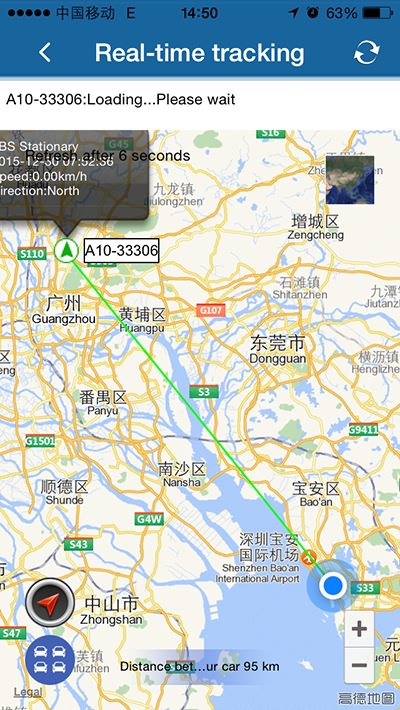
1. Real-time tracking
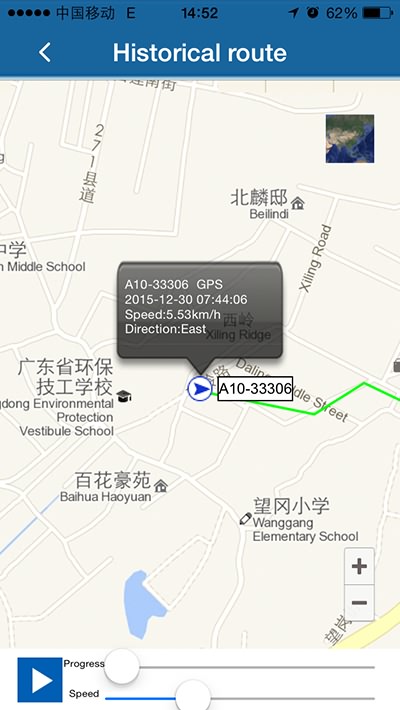
2. Historical route
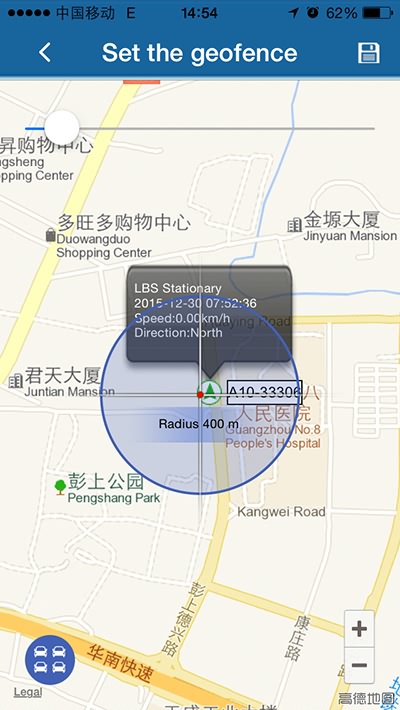
3. Geo-fence
4. Voice monitoring
5.* Demolition alarm
6. Vibration alarm
7. Displacement alarm
8.Various work modes: rapid positioning, standard positioning and save electricity positioning.
9. Multi-platform monitoring: support android, apple mobile phone system, computer network clients, etc
10.Universal: four frequency support GSM network, languages and time zone setting
3,Equipment parameters
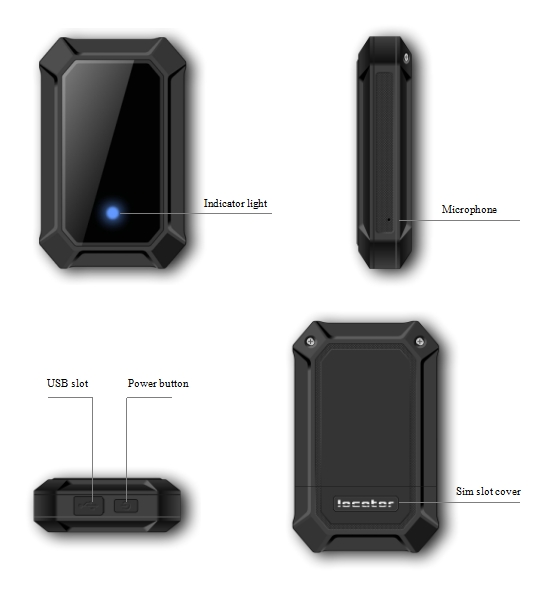
Positioning: GPS satellite positioning + AGPS auxiliary positioning + LBS base station positioning
Positioning accuracy: GPS—–5 to 15m base station location—–100-1000m
Device size:96X60X22.6mm
Battery capacity:5000mAh Longest standby time:90 days charging time:8 hours
4, Function declaration
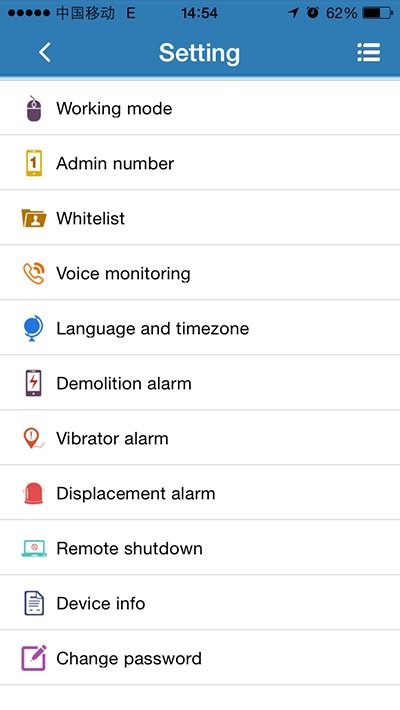
4.1 Working mode setting
There are three kinds of working mode. User through setting in the phone APP software function to set the working mode.
1, rapid positioning (1 minute) : equipment at 1 minute intervals update location information, rapid positioning model the locator use battery faster.
2,standard positioning (10 minutes) : equipment according to the time of 10 minutes interval update location information.
3,save electricity positioning (an hour): equipment in one hour time interval update location information, the power-saving mode use battery is slowly.
4.2 Historical route query
This product can keep 3 months of route information. If two anchor point position is very close, this product will be in the route filter position very close point.
4.3 Geo-fence
Users in the cell phone APP choose Geo-fence function, on the map can set Geo-fence round, if the device away from fences, mobile phone APP client-side will display the alarm information. Alarm information time is related to the positioning interval time setting, The smaller positioning time interval can get timely alarm information.
4.4 Voice monitoring
Select voice monitoring function in setting up and fill in your mobile phone number, wait for a while and after confirmation equipment will be sent a calling to your number, you can listen to the voice around locator after answering. Set up after the white list, the inside of white list number will send a calling to device, device will automatic answer, can listen to the voice around locator.
4.5 Demolition alarm
Device with the demolition sensor on the back. If induction sensor obscured for more than 3 minutes, when people take it and let the device induction sensor not obscured , device will send demolition alarm message.
4.6 Vibration alarm
Device with vibration sensor, when vibration alarm switch turn on, vibration equipment detected for more than 5 seconds, vibration alarm information will be issued by device.
4.7 Displacement alarm
In the case of GPS positioning, when displacement alarm switch turn on, equipment detect displacement of more than 200 meters, device will send displacement alarm information itself.
4.8 SMS monitor number and language time zone setting
After Set message monitoring number, SMS monitoring number can give device issued message commands (specific message instructions please contact retailers). SMS alarm monitoring number can receive device sent text messages and other notification message. Time zone is set up for foreign language users design features, user does not need to set up in China.
5、Software client-side
5.1 Scan the QR code download software APP “Yi Tracker” to cell phone client-side.
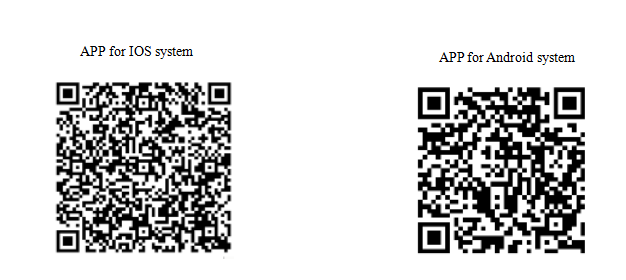
5.2 For PC: https://en.gps18.com/
5.3 For Android,
You can download the app from ”google play” by searching “Yi Tracker”
For Iphone,
You can download the app from ”app store” by searching “Yi Tracker”
Note: the installation process prompts whether to trust this program, or whether to allow access to mobile phone location, please choose trust or allow.
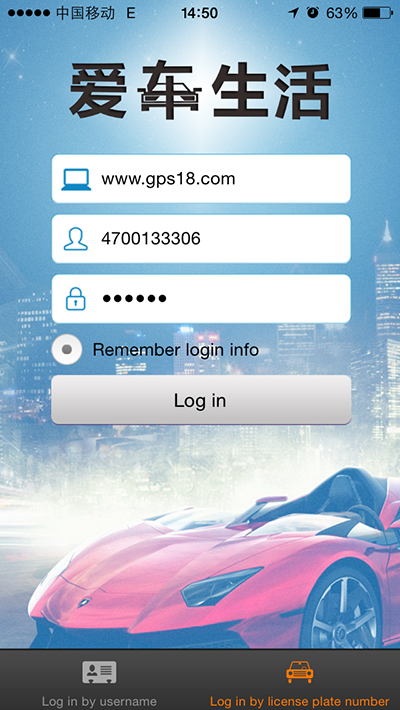
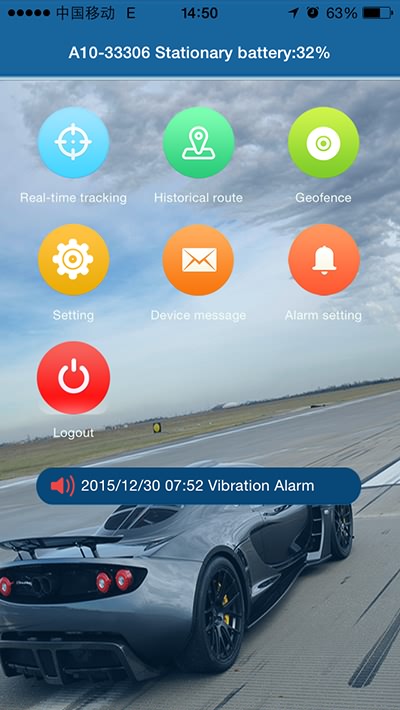
5.3 Open APP client-side, choose license plate number login in,platform website please enter into:https://en.gps18.com/,license plate number please type device ID number on box(ten number), default passwords as 123456, Finally click login to the main menu. (advice for the first time after landing please amend and remember the passwords)
•Matters need attention
1,Do not use product soaked in water;
2,Please leave the product away from the fire source, high temperature and extreme environment;
3,Please pay attention to remind children don’t eating products;
4,It is forbidden to use other charging equipment;
• When power off condition and out of service zone, this product positioning function will not work.
Product detail pictures:
Related Product Guide:
The automated in-car navigator that predated satellites Engadget Engadget save share save share save share save share save share save share ear icon eye icon text file vr | Jacksonville Fleet Management
Surprise delivery occurs in ambulance on way to UT Health Jacksonville | News | Fleet Management System Features
The really abundant projects management experiences and 1 to just one provider model make the high importance of business enterprise communication and our easy understanding of your expectations for Factory For Fleet Services Houston - battery operated gps tracker Long Standby GPS Tracker LTS-3YD – Dragon Bridge, The product will supply to all over the world, such as: Senegal , Poland , Luxemburg , We've been adhering to the philosophy of "attracting customers with the best items and excellent service". We welcome customers, business associations and friends from all parts of the world to contact us and seek cooperation for mutual benefits.
 By Maud
from Guatemala
- 2016.04.08 14:55
Adhering to the business principle of mutual benefits, we have a happy and successful transaction, we think we will be the best business partner.
By Marina
from Thailand
- 2015.07.12 12:19
-

Super Purchasing for Pantainer Express Line Tra...
-

Wholesale Dealers of Gp Vehicle Tracking Servic...
-
Factory Outlets Fleet Program - gps sms gsm pa...
-
New Arrival China Fleet Temps - fingerprint sc...
-

Factory best selling Nissan Adas - Ghost GPS T...
-
Factory Outlets Gps Vehicle Management System -...


